We have been working on a new dashboard called Cyber Detective Portal 2.
The goal is simple:
Make it easier to understand what is happening across fleet computers and take practical action when something needs attention.
Not with another bloated management platform.
With a focused operational view built around the realities of maritime support.
Screens shown below use sample data captured from a demo environment.
Why we built it
Managing endpoint health across vessels is rarely one single problem.
It is usually several problems at once:
- you need to know which PCs are unhealthy
- you need to see where antivirus coverage is weak
- you need to understand which systems need follow-up
- you may need to trigger a script or corrective action remotely
- and you need to keep an eye on airtime usage tied to Windows Update
Most teams end up stitching that visibility together manually.
That is slow, inconsistent, and hard to scale.
What Cyber Detective Portal 2 focuses on
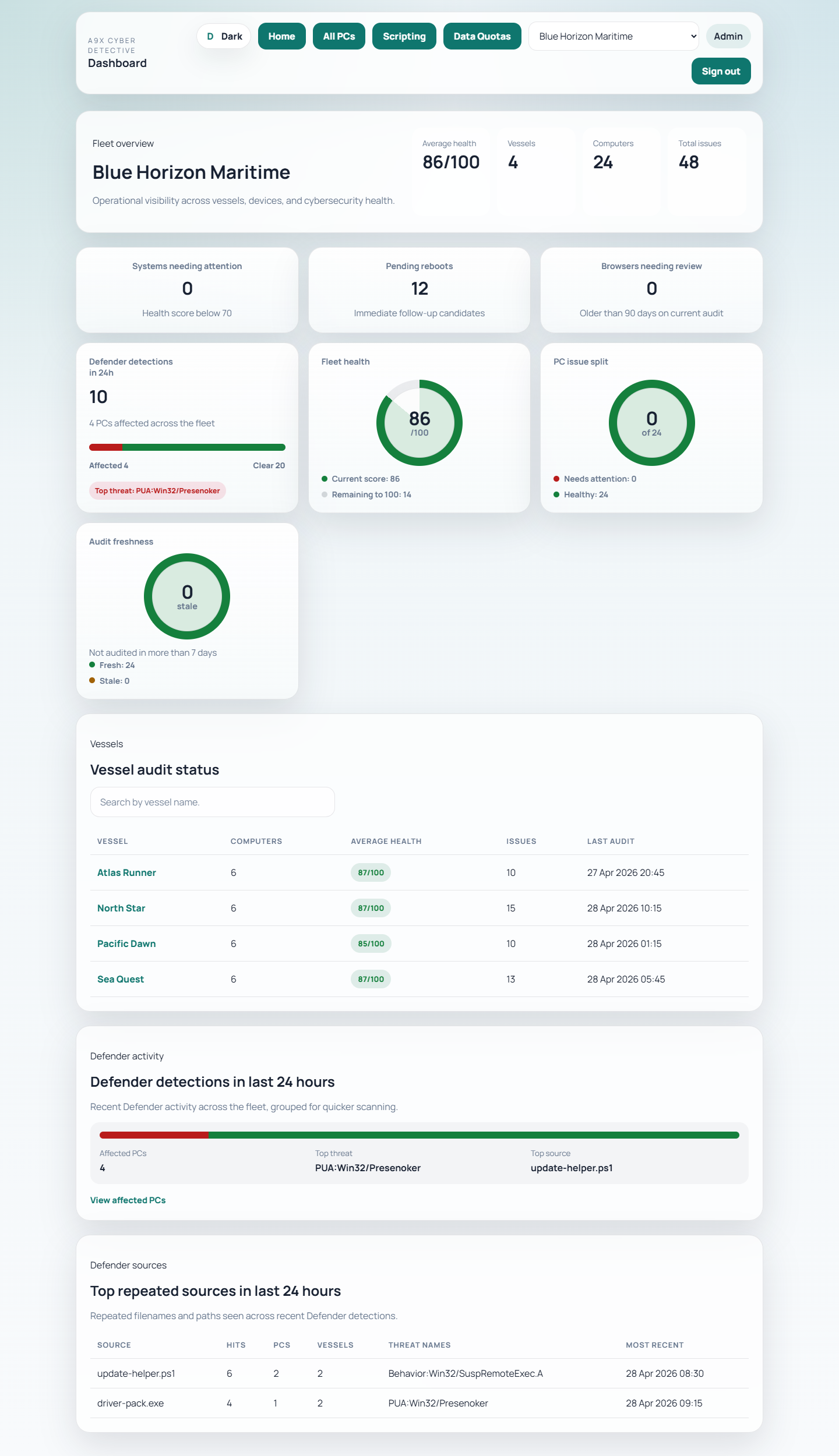
The dashboard is designed to provide a practical fleet view of computer audit data.
That includes:
- fleet, vessel, and computer-level audit views
- health scoring and issue summaries
- surfaced problem areas such as pending reboot, firewall state, BitLocker state, and local admin exposure
- antivirus visibility across audited endpoints
This makes it easier to move from:
We think something may be wrong
to:
We know which systems need attention and why
Better visibility at the vessel level
It is not enough to know that a fleet has issues somewhere.
Operators need to see:
- which vessel is affected
- which PCs are involved
- when they were last audited
- what specific issues are contributing to poor health
That is where fleet management becomes actionable instead of abstract.
Remote scripting for practical fixes
Sometimes the next step is not just to review status.
It is to do something.
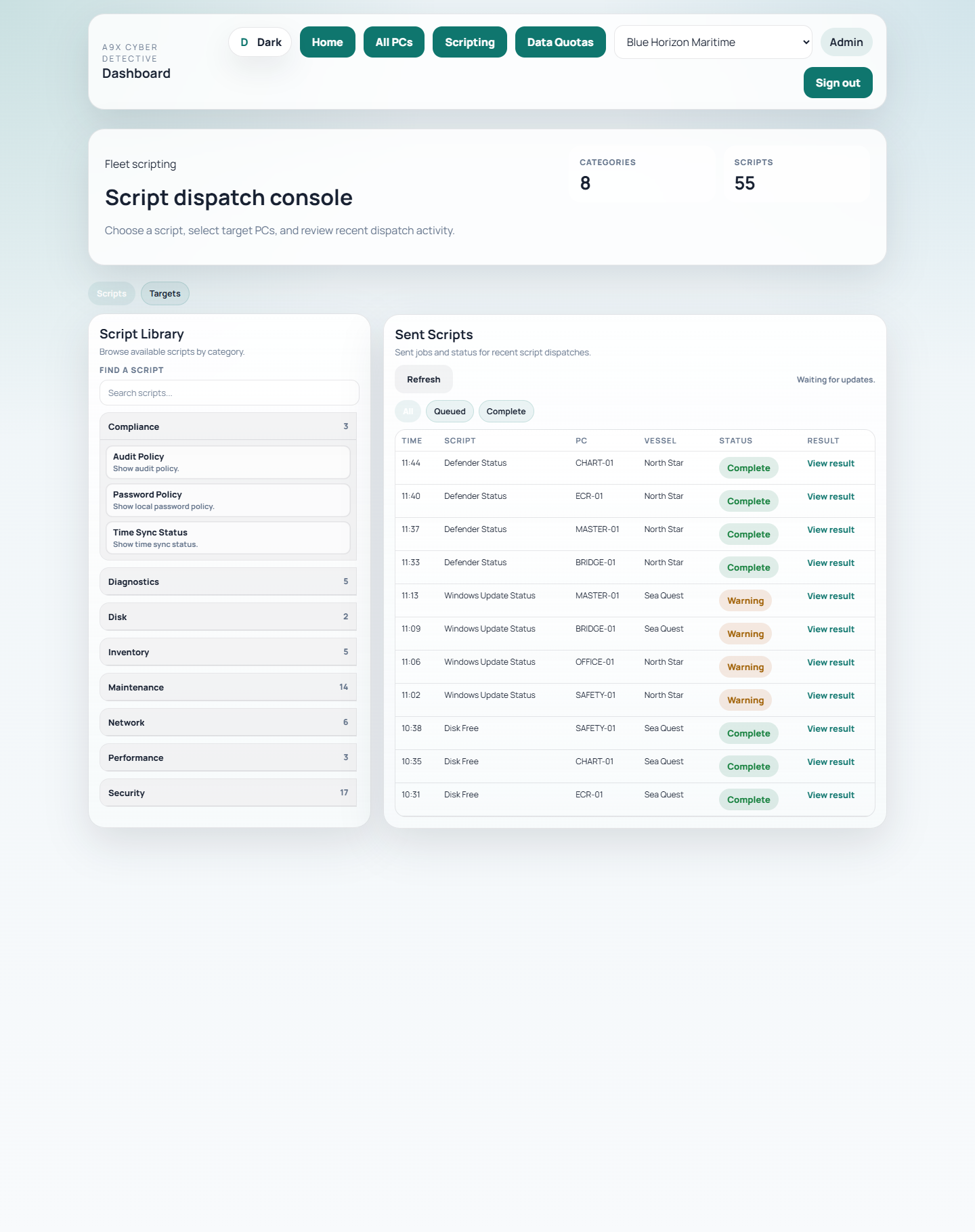
Cyber Detective Portal 2 includes a scripting workflow for A9X Scripting subscribers so authorised users can:
- choose from an approved script library
- target specific PCs
- queue script tasks remotely
- review returned results
That is useful for common support actions like checking Defender status, reviewing Windows Update state, inspecting disk health, or clearing routine problems without needing full interactive access.
Antivirus status matters, but so does context
Seeing whether AV is present, active, or in a problem state is important.
But that information becomes much more useful when it sits alongside the wider audit picture:
- health score
- recent issues
- reboot state
- device configuration
- support status
That helps teams understand whether an AV alert is an isolated issue or part of a larger reliability or maintenance problem.
Managing airtime around Windows Update
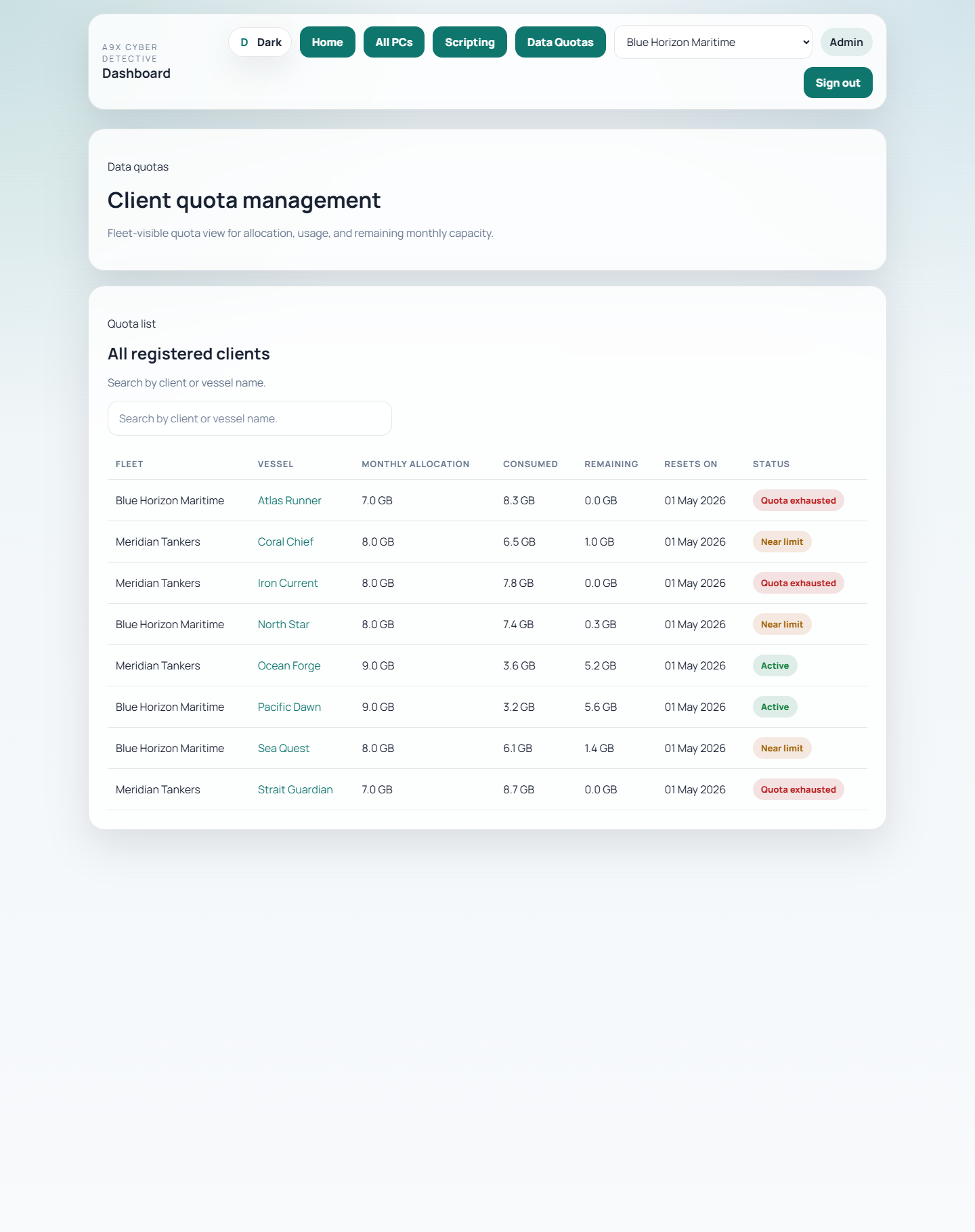
One of the most practical parts of the portal is quota visibility for update-related data usage.
In maritime environments, Windows Update is not just a patching issue.
It is also an airtime issue.
Being able to see allocation, usage, and remaining capacity helps operators make better decisions about how update traffic is managed across vessels.
That is exactly the kind of operational detail generic IT dashboards usually ignore.
Built for controlled operations, not dashboard theatre
The aim with Cyber Detective Portal 2 is not to create more noise.
It is to give teams a clear operational picture:
- what is healthy
- what is drifting
- what needs action
- what can be resolved remotely
That is the difference between a dashboard that looks busy and one that actually helps.
Bottom line
Cyber Detective Portal 2 is built to help manage and audit fleet computers in a more practical way.
It combines audit visibility, issue reporting, antivirus status, remote scripting, and Windows Update airtime awareness into one operational view.
For maritime teams, that means less guesswork and a faster path from seeing a problem to resolving it.